Event Q&A app
Event Q&A app for interactive sessions and audience-driven talks
Collect attendee questions in one flow, moderate content in real time, and run more engaging sessions without breaking event context.
Why live audience questions become hard to manage
Audience questions get lost across chat, email, and ad-hoc channels.
Speakers and moderators cannot see one clean queue during sessions.
Teams need to filter low-quality or off-topic questions quickly.
Small event teams need a simple interaction workflow in one place.
Bringing microphone to audience slows down the session and disrupts the flow.
Moderating questions is a manual process that requires time and effort.
Questions get duplicated and spam is also a problem.
Structured Q&A in session context
Audience interaction workspace
Collect, moderate, and prioritize questions in one event flow
Run Q&A directly in the attendee web app, connect moderation to session operations, and keep engagement high throughout live moments.
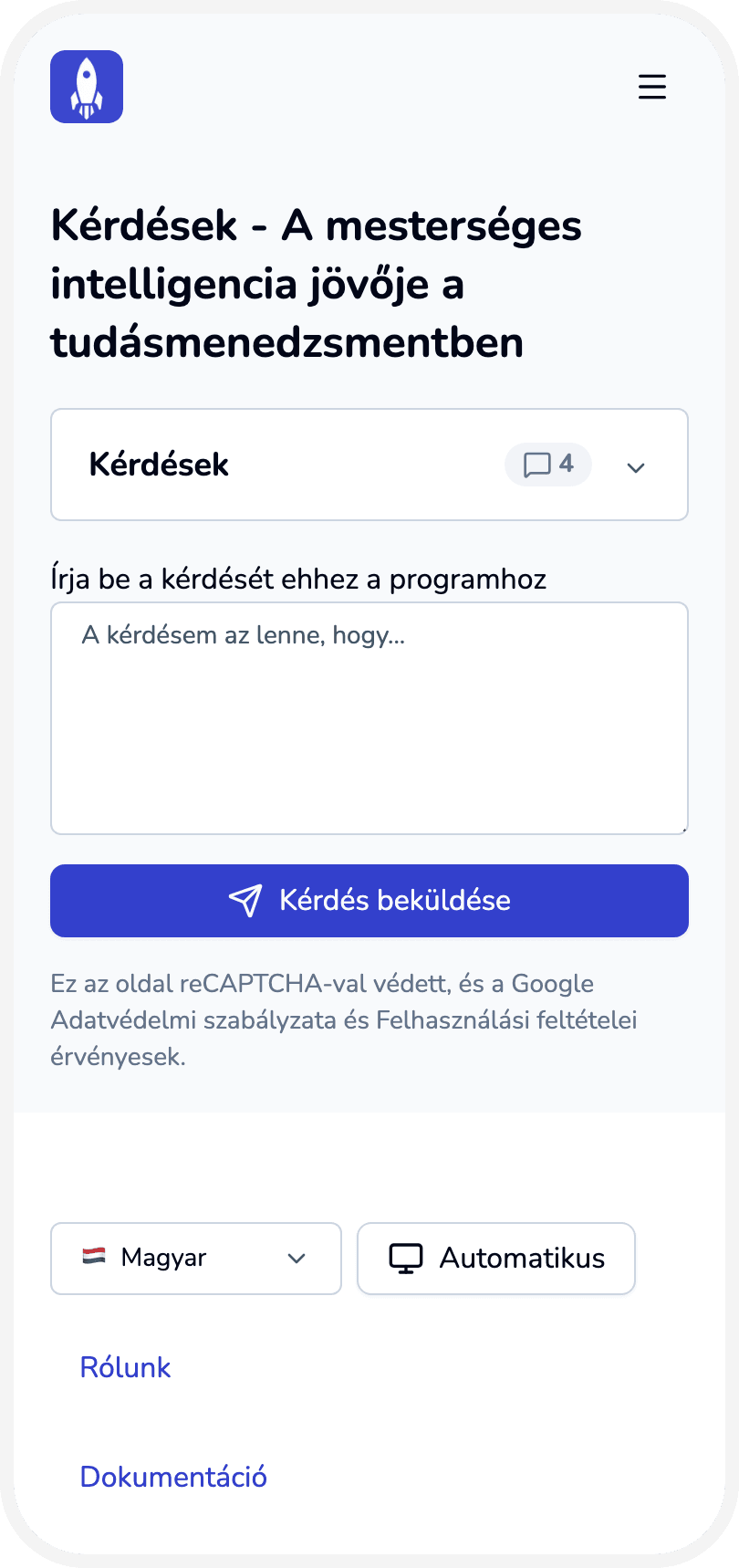
Enable a dedicated Questions screen in the attendee web app.
Collect attendee questions in a single event context.
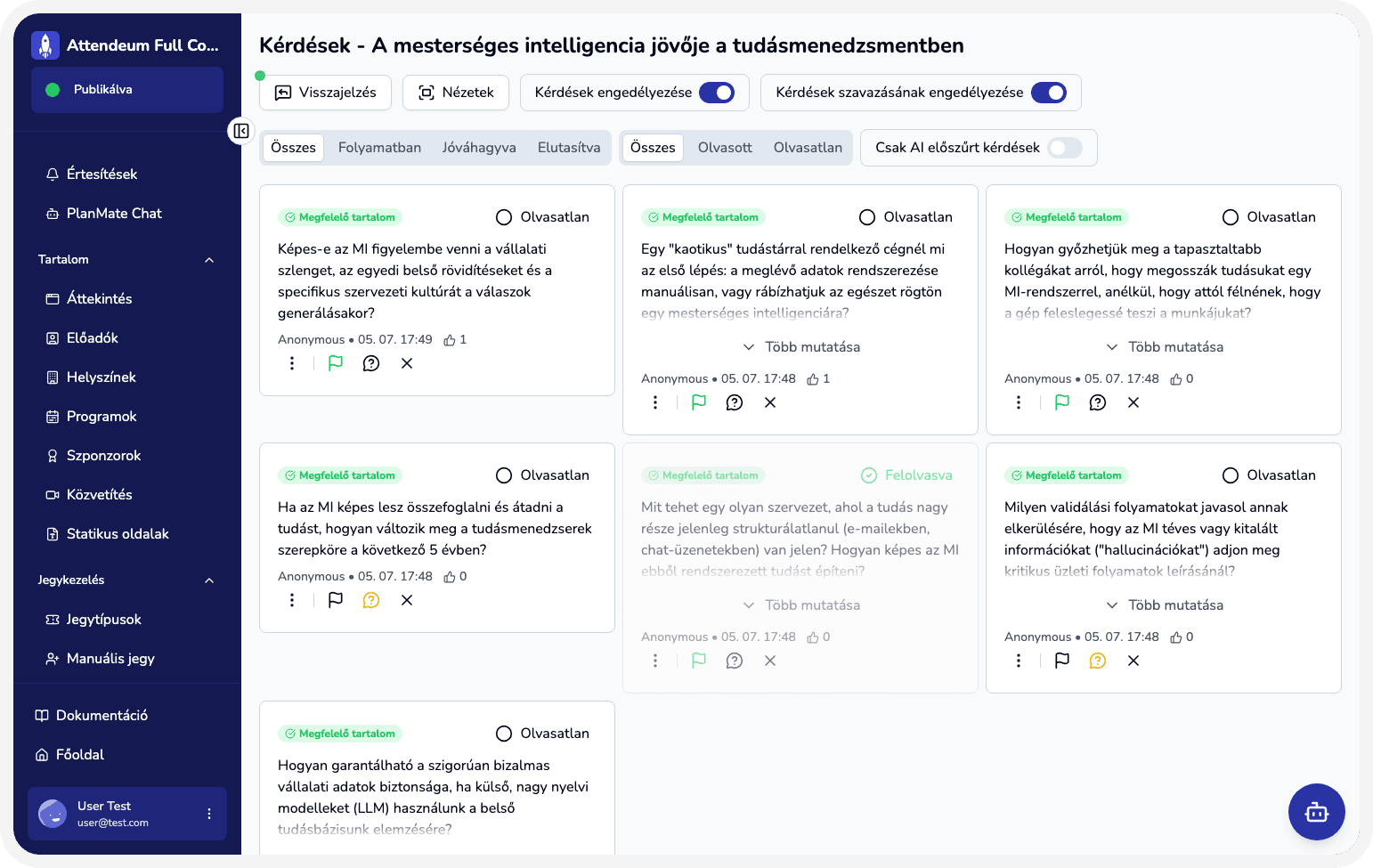
Moderate questions from admin before they are used in sessions.
Use Q&A together with session and streaming workflows.
Let attendees upvote questions to prioritize them.
Use AI to detect spam and duplicate questions.
Engage everyone through the web application or a single QR code.
What teams gain from interactive Q&A operations
Clear and organized audience interaction.
Faster moderation with less manual coordination.
Better session quality through relevant audience input.
Higher attendee engagement during talks and live sessions.
Keep attendees in the same context during sessions and Q&A.
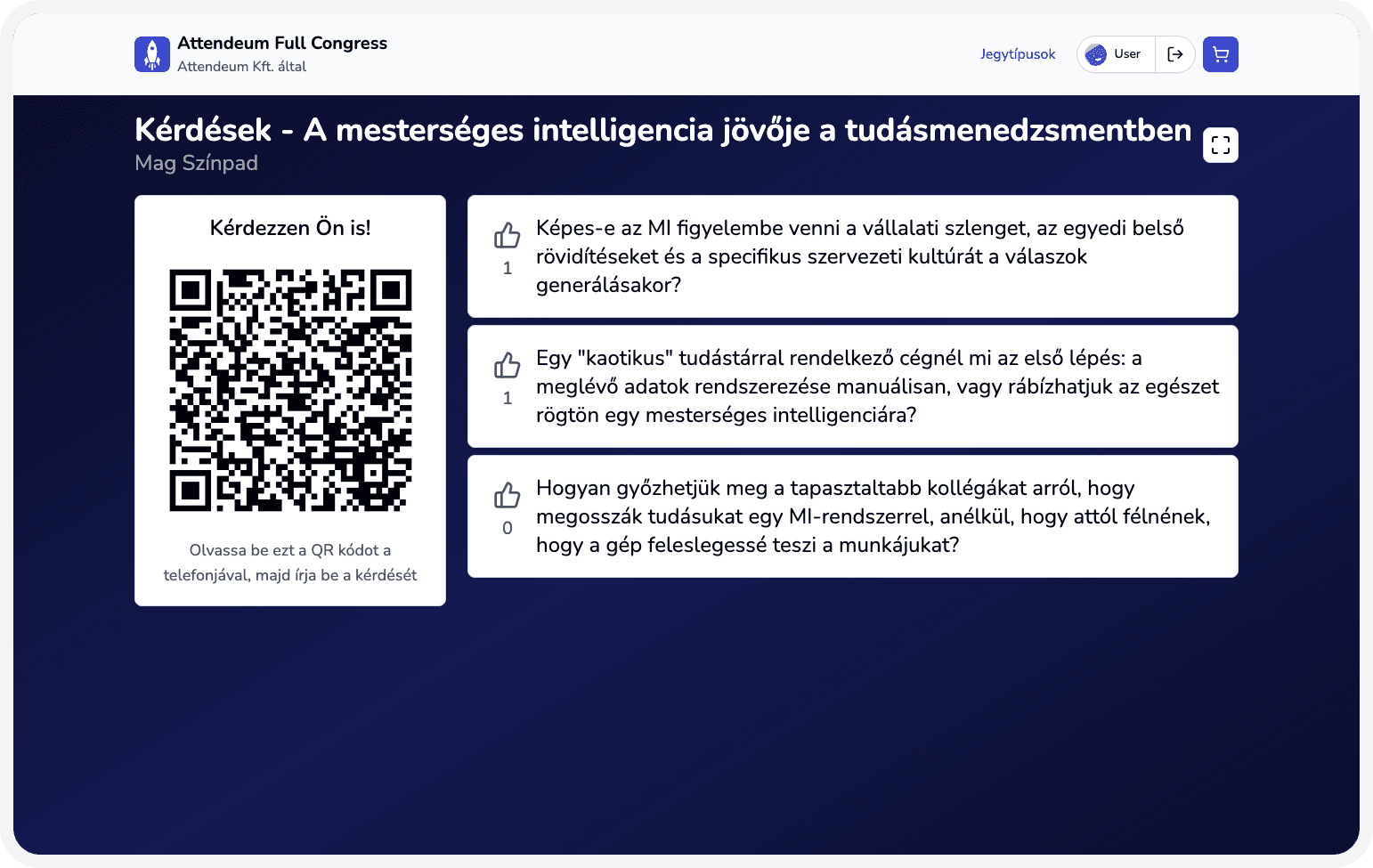
Display a presentation view with QR to join and active questions list.
Real interactive Q&A scenarios
Run moderated Q&A after a keynote.
Collect questions during a live stream and handle them in context.
Let everyone join via a single QR code.
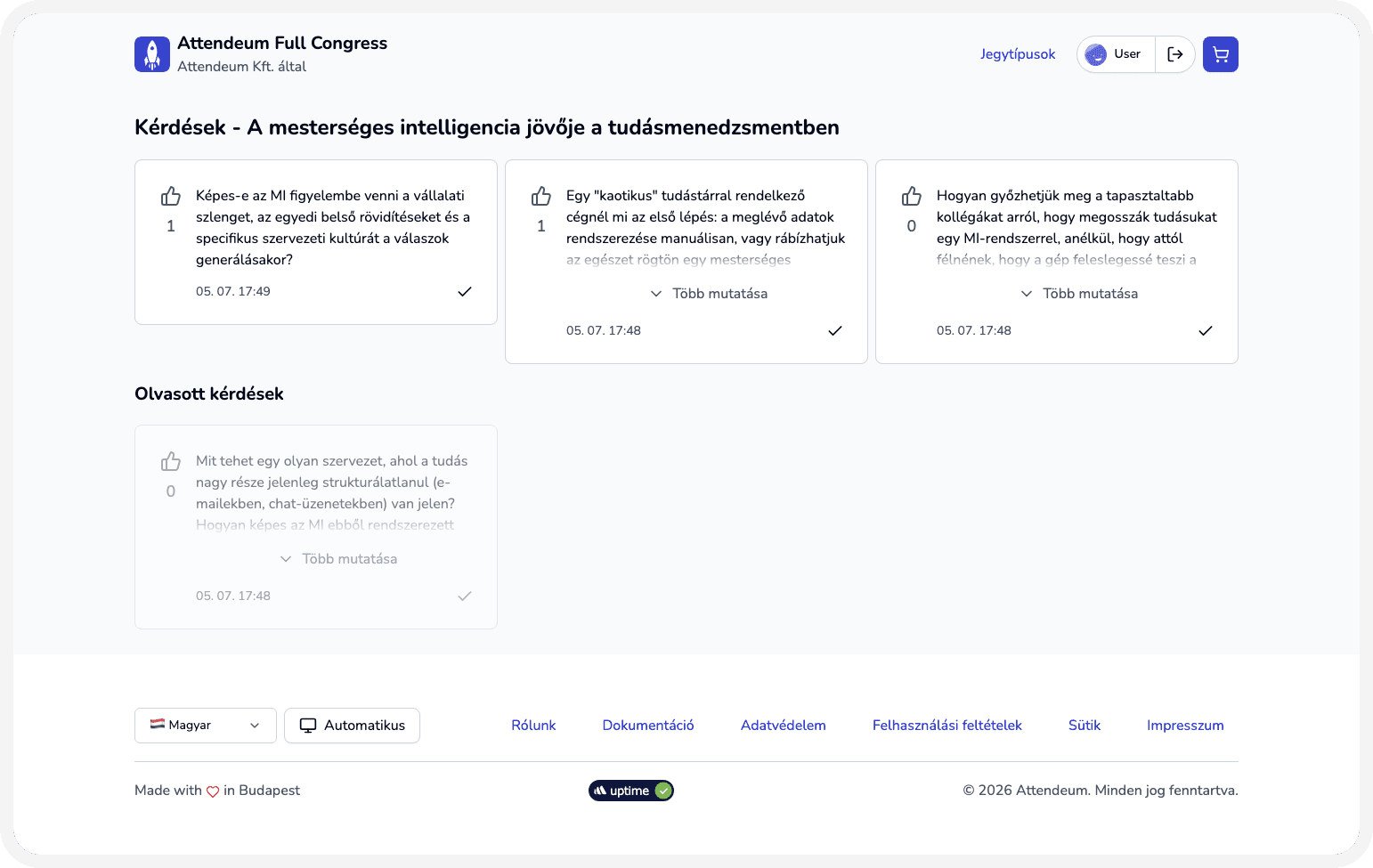
Hand a tablet to the moderator to display the questions list and upvotes.
Core Q&A features
Questions screen toggle in app configuration.
Centralized question collection per experience.
Admin-side moderation workflow for submitted questions.
Integration with session and streaming operations.
AI-based spam and duplicate question detection.
Upvote system to prioritize questions.
Presentation view with QR to join and active questions list.
Moderator view with questions list and upvotes, with read status.
How Q&A works from setup to live delivery
Create an experience in Attendeum and choose the plan for your event.
Upload sessions and configure Q&A capability in the admin workspace for each session.
Publish the experience so attendees can access it.
Prompt attendees to ask questions during the session via the web application or the presented QR code.
Moderators moderate questions and marks them to be read
Let attendees upvote questions to prioritize them.
Read only relevant questions are displayed in the moderator view.
Use other Attendeum features to manage the full event experience.
Create an experience in Attendeum and choose the plan for your event.
Upload sessions and configure Q&A capability in the admin workspace for each session.
Publish the experience so attendees can access it.
Prompt attendees to ask questions during the session via the web application or the presented QR code.
Moderators moderate questions and marks them to be read
Let attendees upvote questions to prioritize them.
Read only relevant questions are displayed in the moderator view.
Use other Attendeum features to manage the full event experience.
Who runs successful interactive Q&A

Event owner
Wants structured audience interaction during sessions.

Operations lead
Moderates questions and keeps interaction flow clean.

Communications lead
Ensures relevant attendee questions reach the right context.
Ready to run more interactive sessions with structured Q&A?
Contact sales and see how Attendeum turns audience questions into high-quality session engagement.