Event software, conference app, and livestream platform
Manage your agenda, tickets, live streaming and attendee Q&A in one system — a mobile app for your attendees, an admin dashboard for you.
The platform used by Craft Conference — with 95% PWA adoption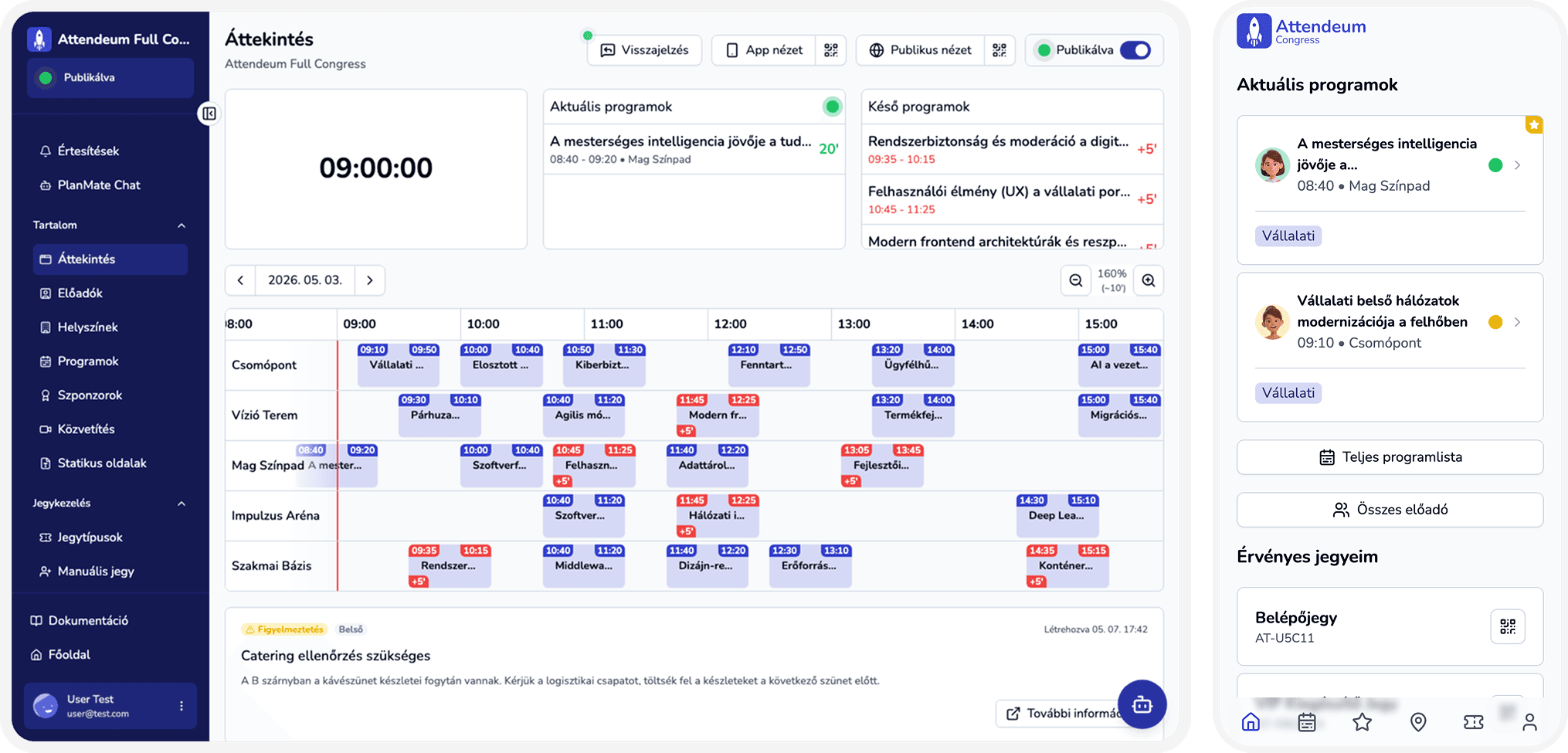
Sound familiar?
Scattered tools
A separate system for tickets, a separate one for the agenda, a separate one for streaming — and none of them talk to each other.
Passive attendees
Your audience flips through a paper agenda instead of asking questions, voting, or connecting with each other.
Coordination chaos
Spreadsheets, separate email threads, follow-up meetings — your team's time disappears into firefighting.
Time and cost lost
More subscriptions, more integration work, more places to store data — every extra system is another cost and another point of failure.
One platform, perfected from two sides
For attendees
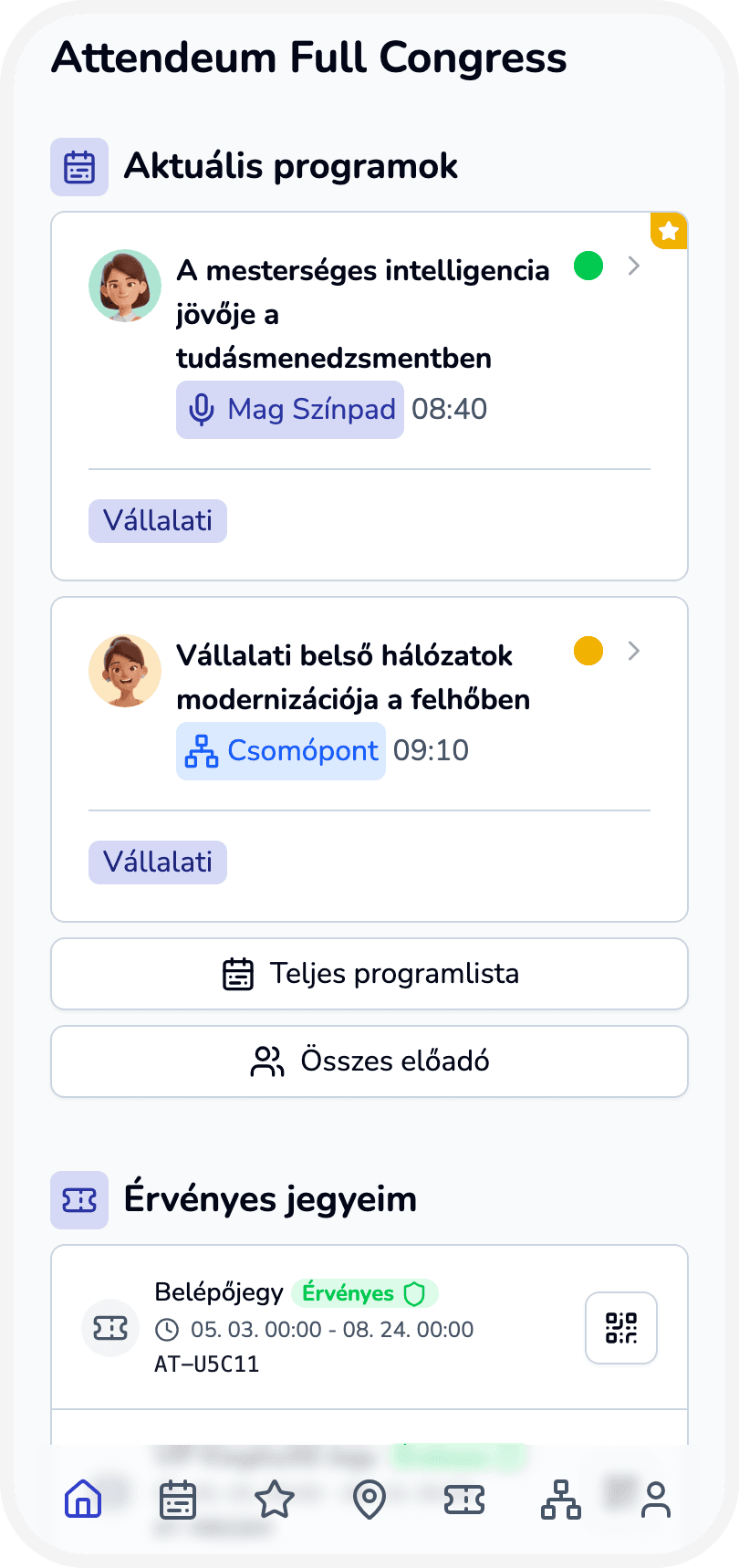
An installable mobile app (PWA) — no app store needed — where attendees find the agenda, save favorites, ask questions, vote, and connect with each other.
For organizers
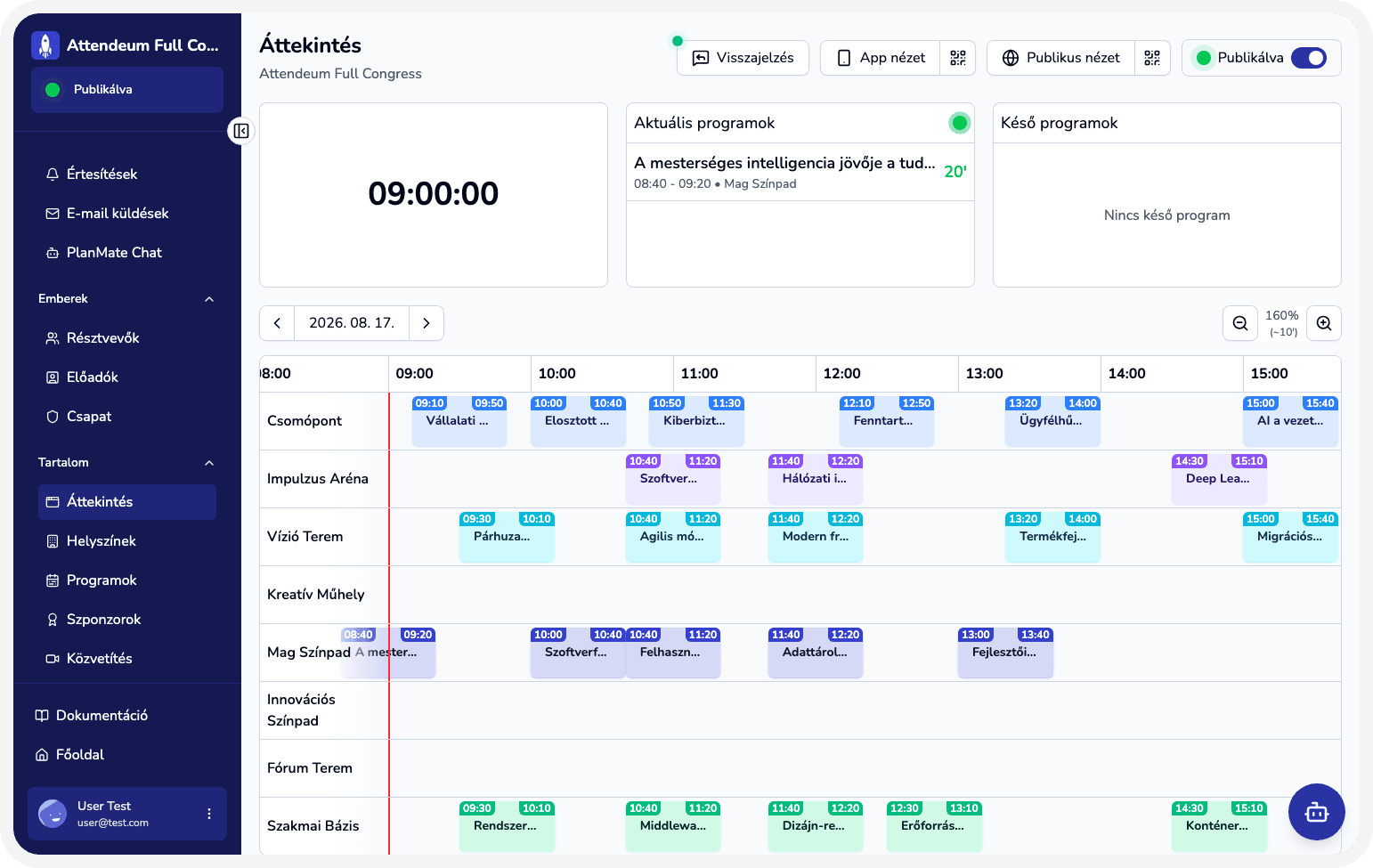
One admin dashboard to manage tasks, tickets, venues, sessions and your attendee database — with a real-time overview of your entire event.
No more switching between systems — all your data lives in one place, the same for everyone.
Every module your event needs
Attendee app
An installable PWA with the agenda, calendar sync (Google/Apple/iCal), and favorites.
Learn moreTicketing and check-in
Flexible ticket types, QR-based check-in with real-time, color-coded validation.
Learn moreAgenda and venue management
Timeline view, multiple venues running in parallel, calendar export.
Learn moreQ&A and moderation
Q&A with AI spam filtering, a presenter view with live polling.
Learn moreLive streaming
RTMP streaming, recording and export, real-time cost tracking.
Learn morePlanMate AI assistant
Looks up — and, with permission, updates — your event's data in natural language.
Learn more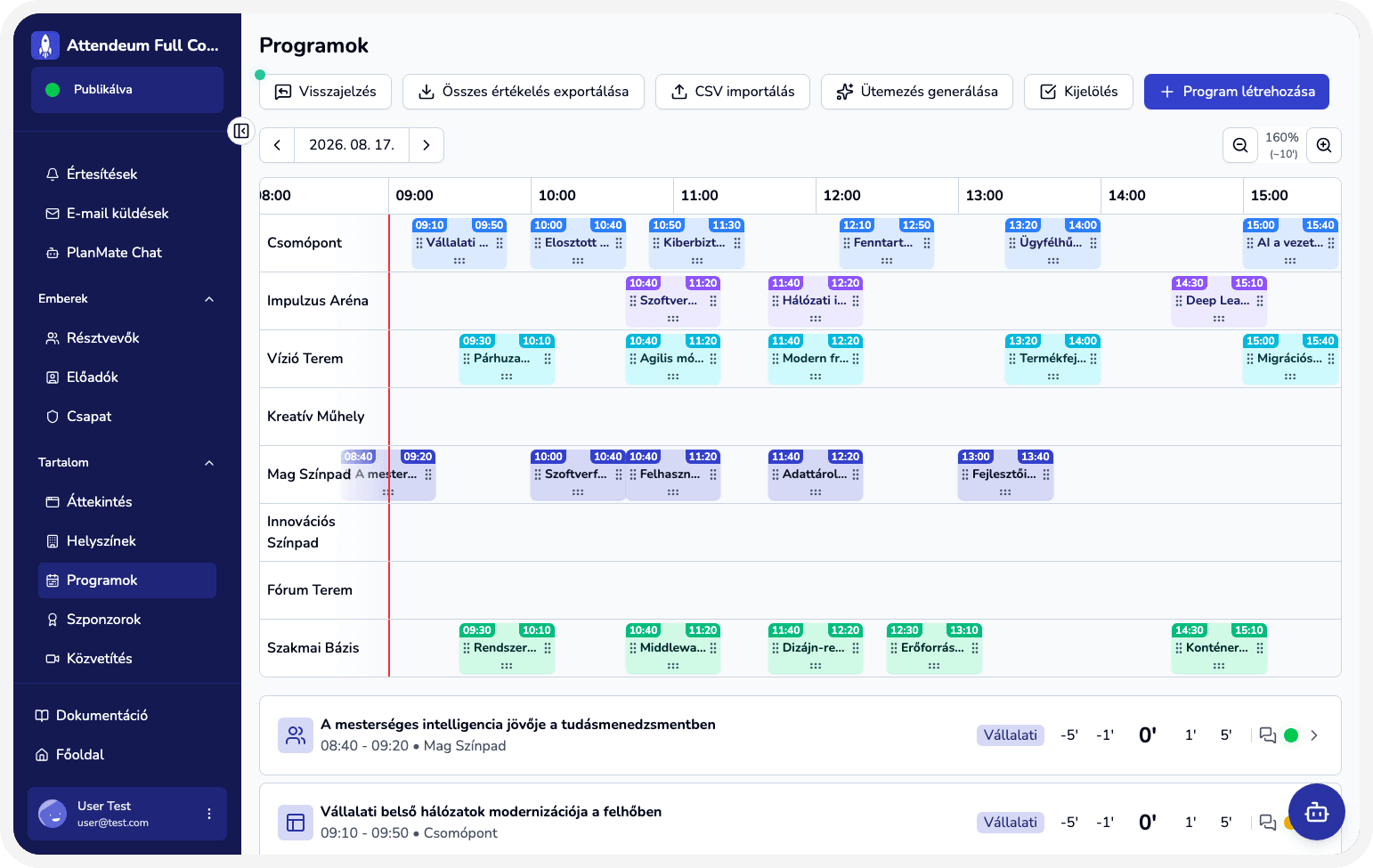
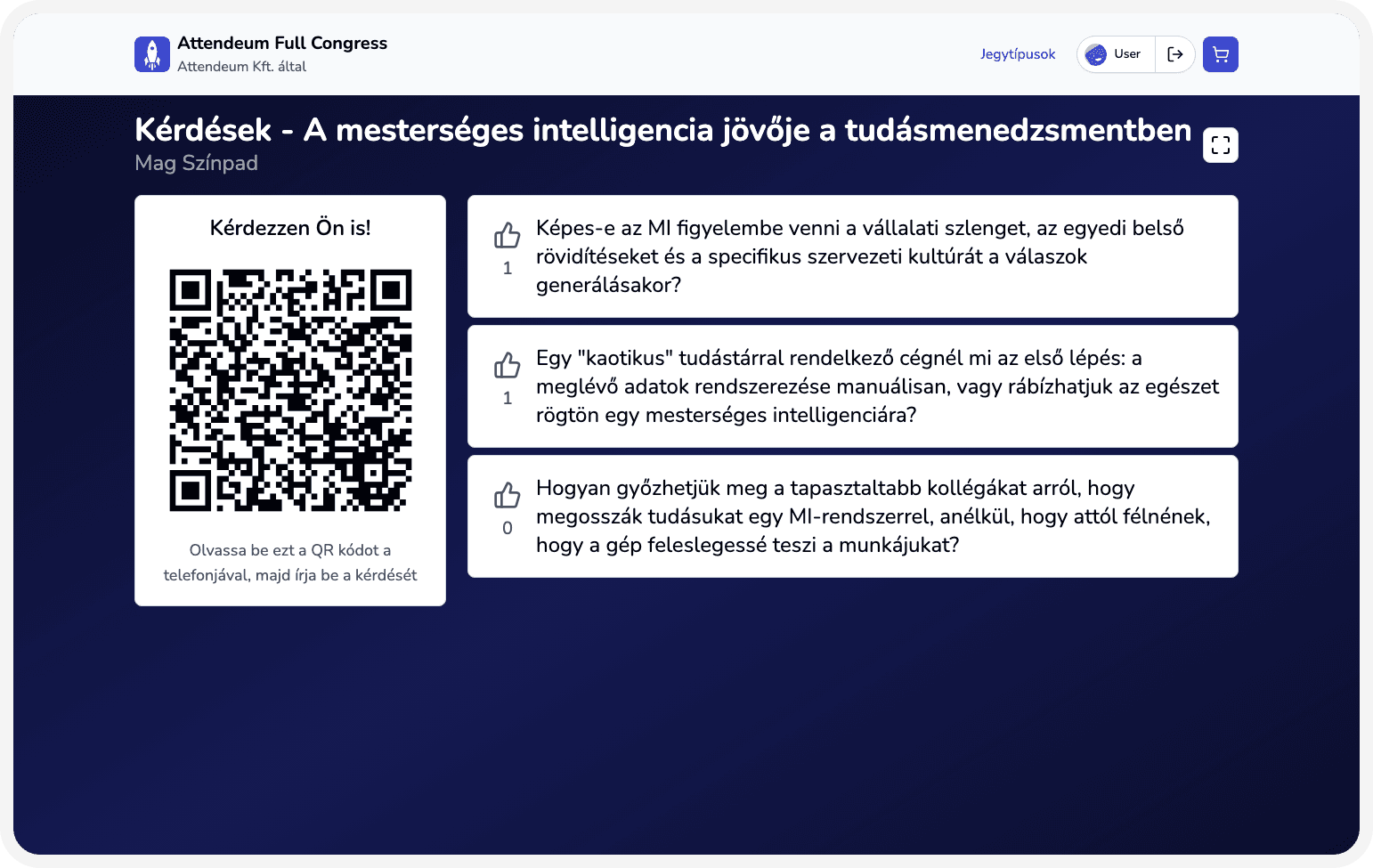
Skip the paperwork — get started in minutes
- 1
Create your event (2 minutes)
Basic details, date, venue — and you're ready to start organizing.
- 2
Invite attendees
Issue tickets or send out forms, with CSV import from your existing lists.
- 3
Run it with real-time monitoring
A live dashboard, check-in data, Q&A moderation — all in one place, during the event.
Solutions by industry
Corporate event management software for internal and client events
Run company days, kickoffs, and partner events on one platform: registration, check-in, agenda, and a no-download attendee web app.
Healthcare conference software for congresses and CME
Run medical congresses and professional training on one platform: registration, multi-track agendas, check-in, and a no-download attendee app.
Professional conference software for multi-track agendas
Run professional conferences on one platform: tickets, multi-track sessions, speakers, check-in, and a no-download attendee web app.
Scientific conference app for sessions and speakers
Run scientific conferences with a modern web app: registration, parallel sessions, speakers, check-in, and live questions with no install.
Tech meetup app for community events and mini-conferences
Organize tech meetups and community days quickly: registration, agenda, check-in, and an attendee web app with no install.
University event management software for campus events
Organize campus days, student events, and academic conferences on one platform: registration, agenda, check-in, and an attendee web app.
We don't just claim it — we show it
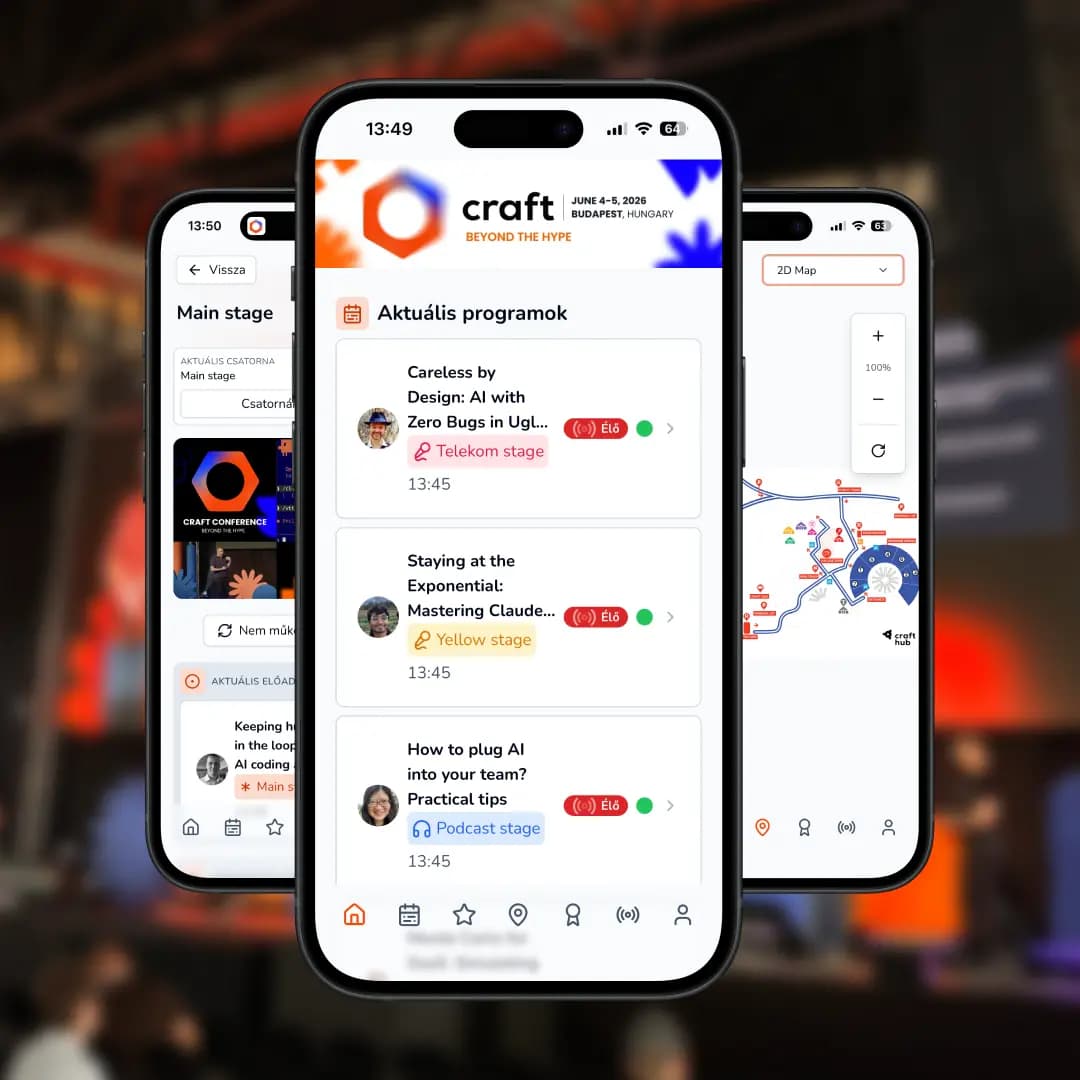
“95% of Craft Conference attendees used the Attendeum PWA — with no app store install.”
95%
PWA adoption
694
questions asked
781
session ratings
That's what it looks like when an event's attendees actually use the tool — not just receive it.
Read the full case study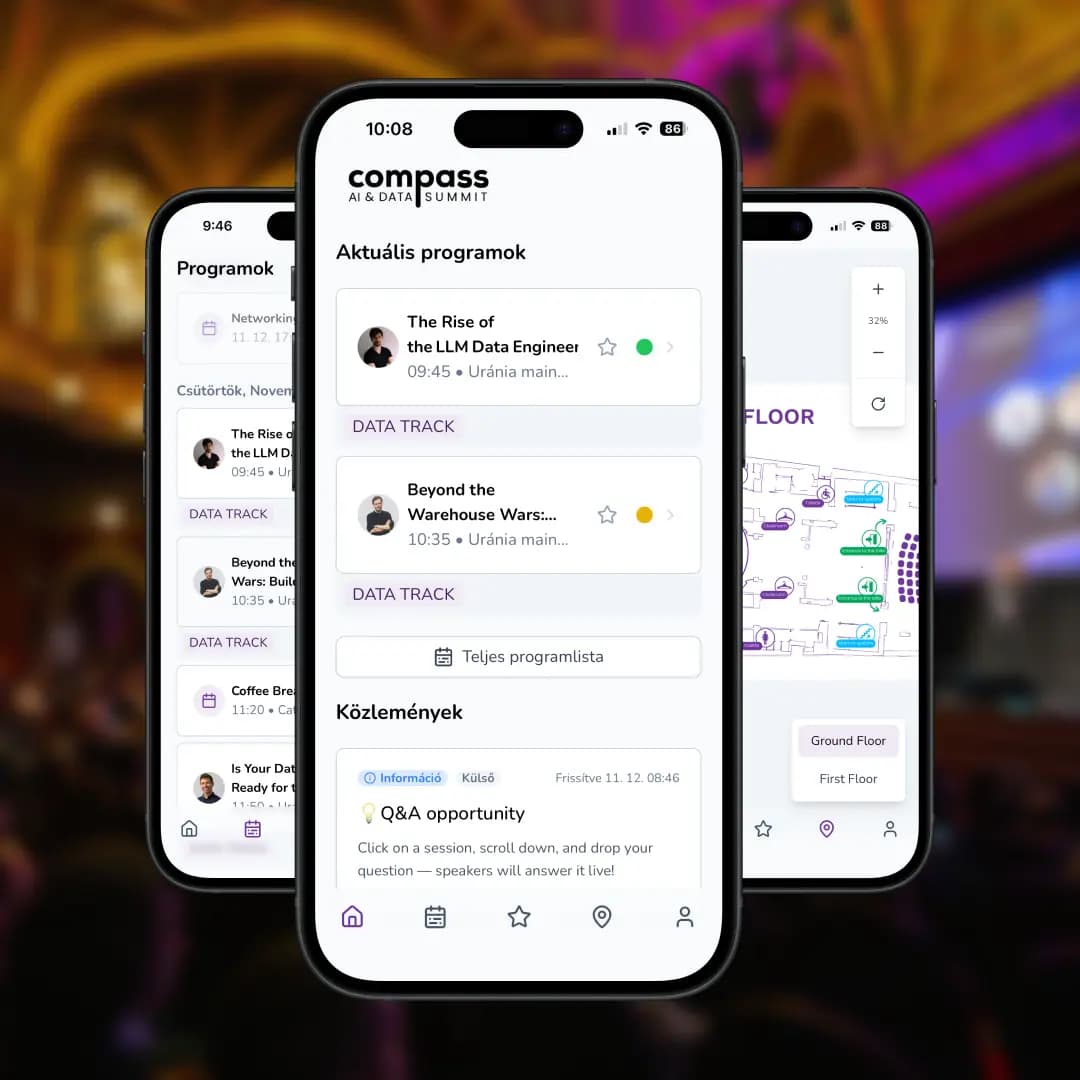
“255 of nearly 400 Compass attendees actively used the Attendeum web app — with stable Q&A throughout.”
255
active users
177
Q&A questions
Stable
low response times
One platform powered the conference app and Q&A — no separate tools, no fragmentation.
Read the full case study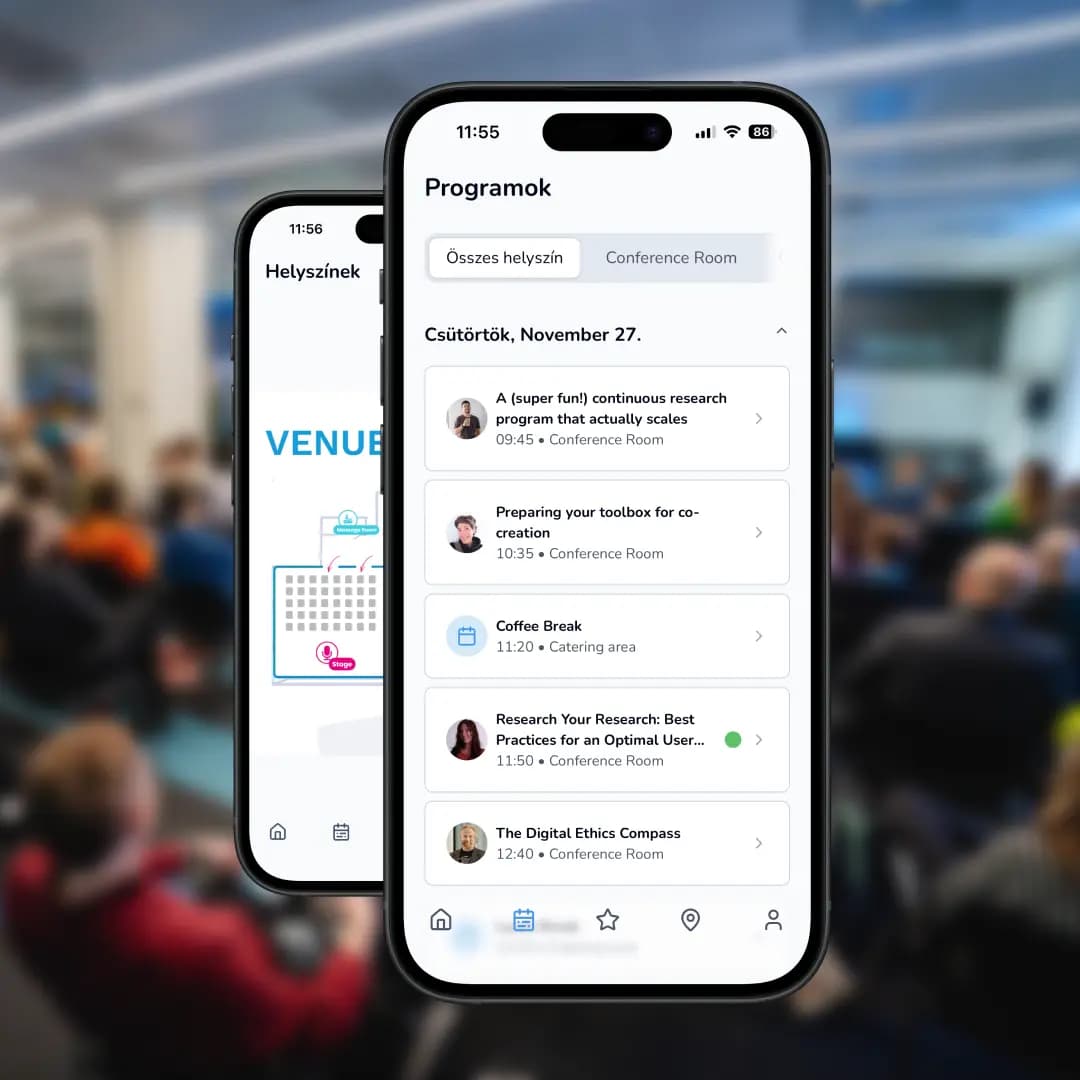
“At UX Session, attendees followed the agenda, asked questions, and joined interactive sections in one web app.”
High
participation rate
Live
interactive Q&A
One app
integrated experience
A real alternative to traditional Q&A tools — seamlessly part of the event itself.
Read the full case study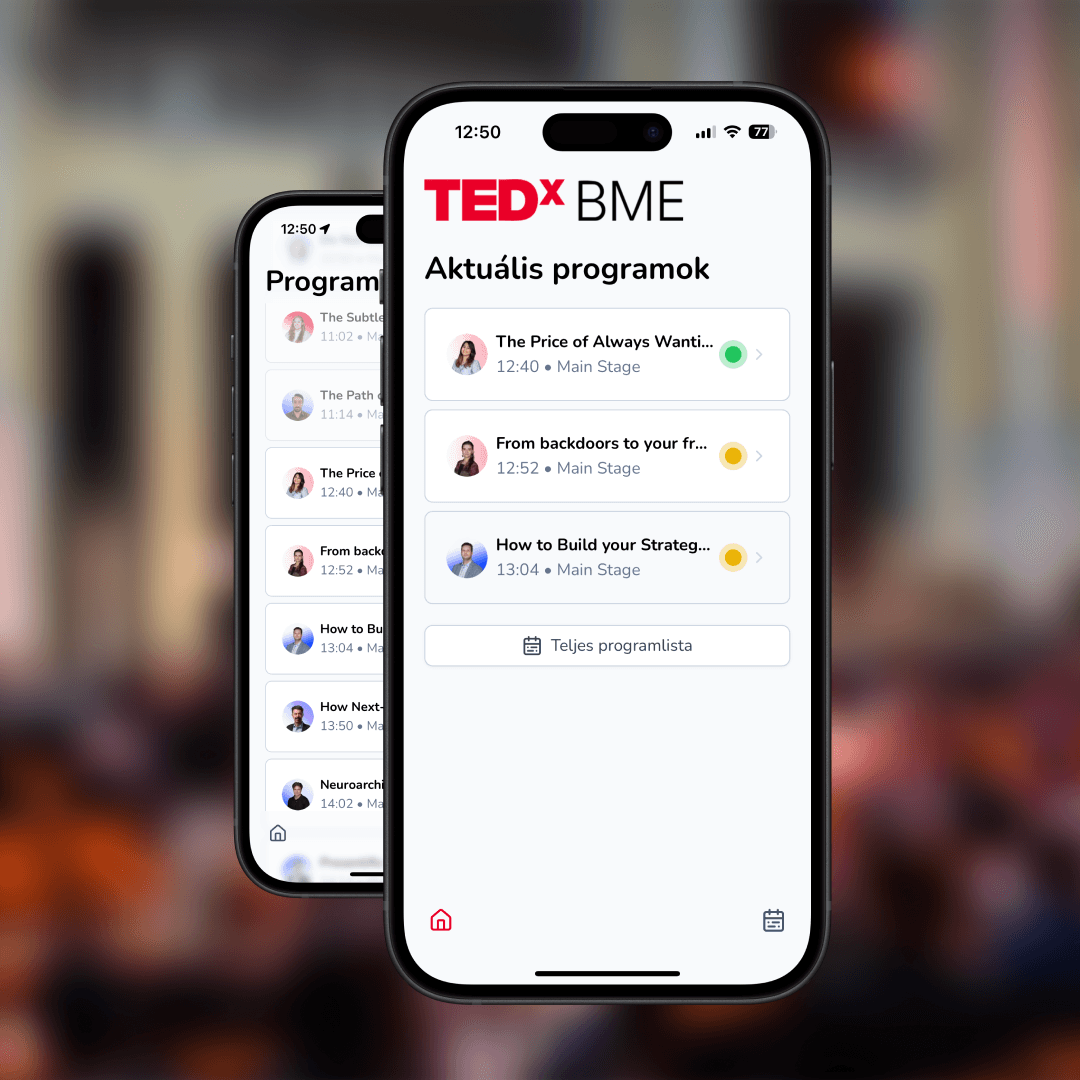
“TEDxBME attendees followed the program in real time and asked questions through the Attendeum web app.”
60+
active users
114
AI-filtered questions
Smooth
Q&A sections
Programs, questions, and moderation in one place — so interaction stayed part of the talk, not a side channel.
Read the full case studyFrom the blog
Guides, product updates, and notes from running real events.
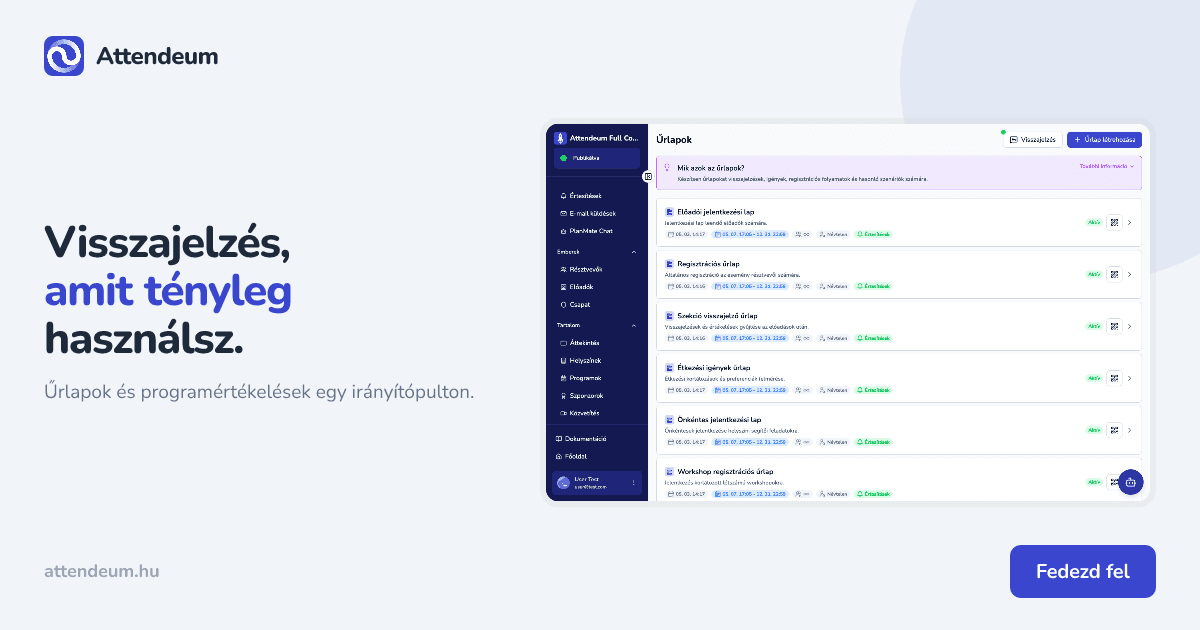
Visszajelzés a rendezvényen: űrlap és programértékelés egy irányítópulton
Röviden A rendezvény végén mindenki visszajelzést szeretne, de a papíros kérdőívek elvesznek, a linkelt űrlapokat pedig kevesen töltik ki. A megoldás két külön réteg: egy űrlap az egész eseményről, és programonkénti értékelés a résztvevői webappban. Az Attendeum mindkettőt egy szervezői irányítópultról kezeli. Az űrlapok a Moderáció menüben készülnek, a programértékelések pedig a Programok részletnézetében jelennek meg: 0–5 csillag, szöveges megjegyzés és átlag. Ebben a cikkben megnézzük, mit
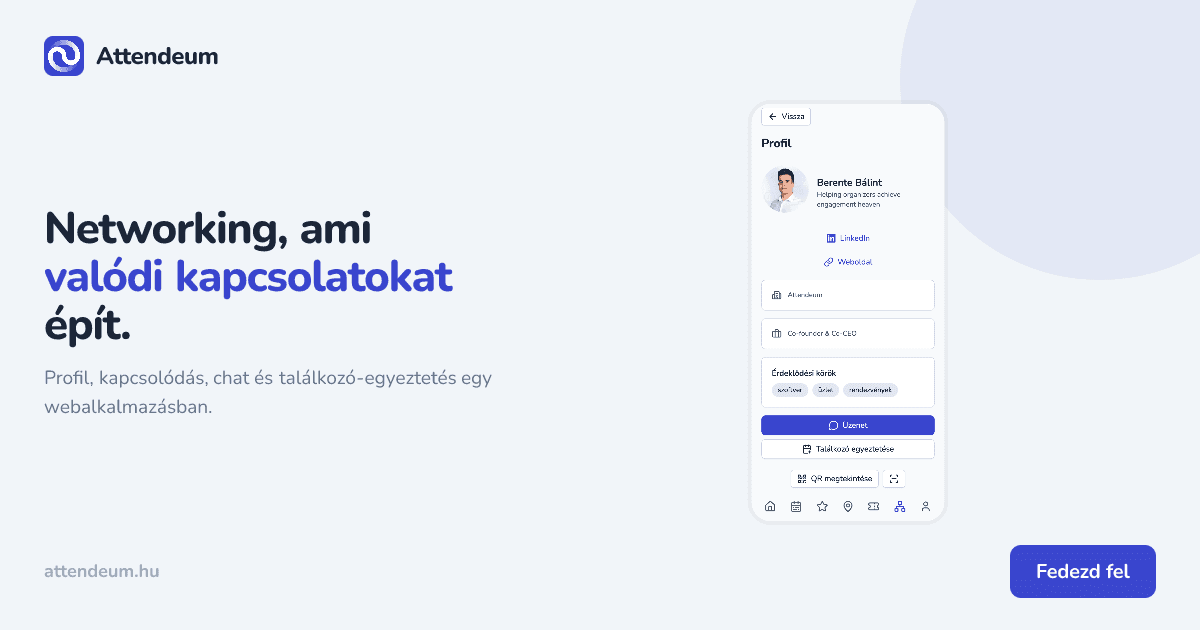
Networking a rendezvényen: hogyan találjanak egymásra a résztvevők egy webalkalmazásban
Röviden A legtöbb rendezvényen a legértékesebb dolog nem a program, hanem a kapcsolatok, amiket a résztvevők ott kötnek. Csakhogy ez a gyakorlatban általában névjegykártya-halmokat, utólag elfelejtett LinkedIn-kéréseket és odaveszett kontaktokat jelent — a szervező pedig semmit nem lát abból, hogy egyáltalán történt-e networking a rendezvényen. Egy digitális networking funkció ezt a folyamatot teszi kezelhetővé: a résztvevők profilt hoznak létre, megtalálják egymást, kapcsolódási kérést külden
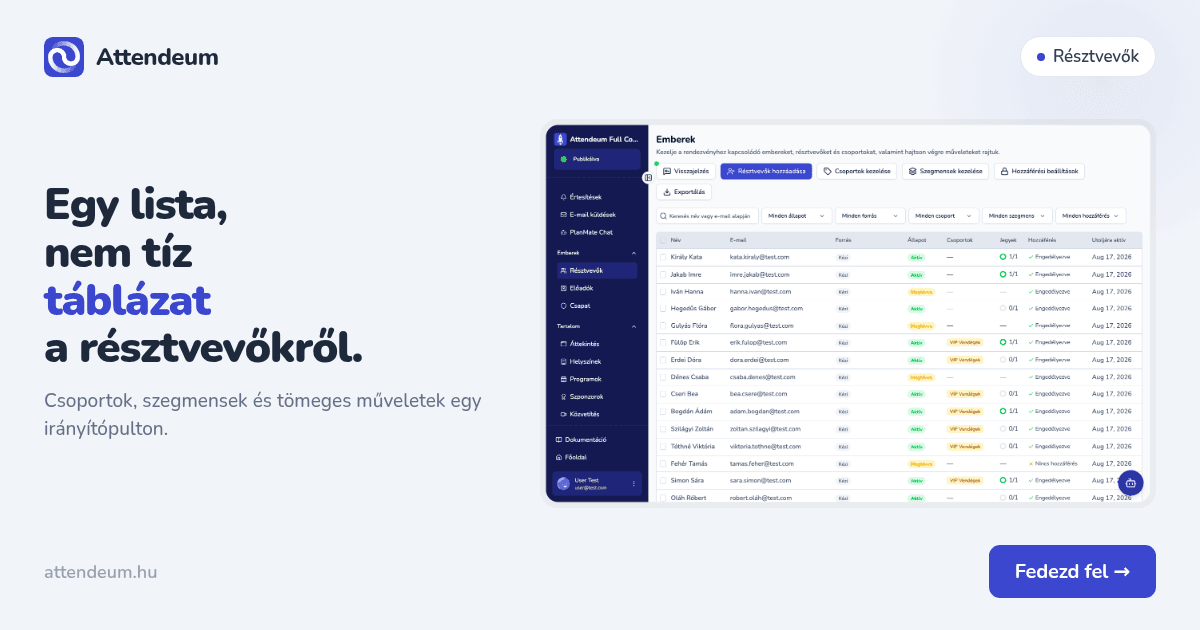
Résztvevők kezelése rendezvényen: egy lista, csoportok és szegmensek táblázatok helyett
Röviden Egy közepes rendezvényen a résztvevőkkel kapcsolatos adat hamar szétesik: van egy jegyértékesítő exportod, egy külön lista a hírlevél-feliratkozókról, egy harmadik táblázat azoknak, akiket kézzel adtál hozzá, és egy negyedik, hogy ki töltötte ki az étkezési űrlapot. Mire a szervezés közepén jársz, senki sem tudja biztosan, hány embert is kell valójában kiszolgálni. Az Attendeum ezt egyetlen Emberek listává vonja össze: mindenki bekerül, aki bármilyen módon kapcsolatba került a rendezvé
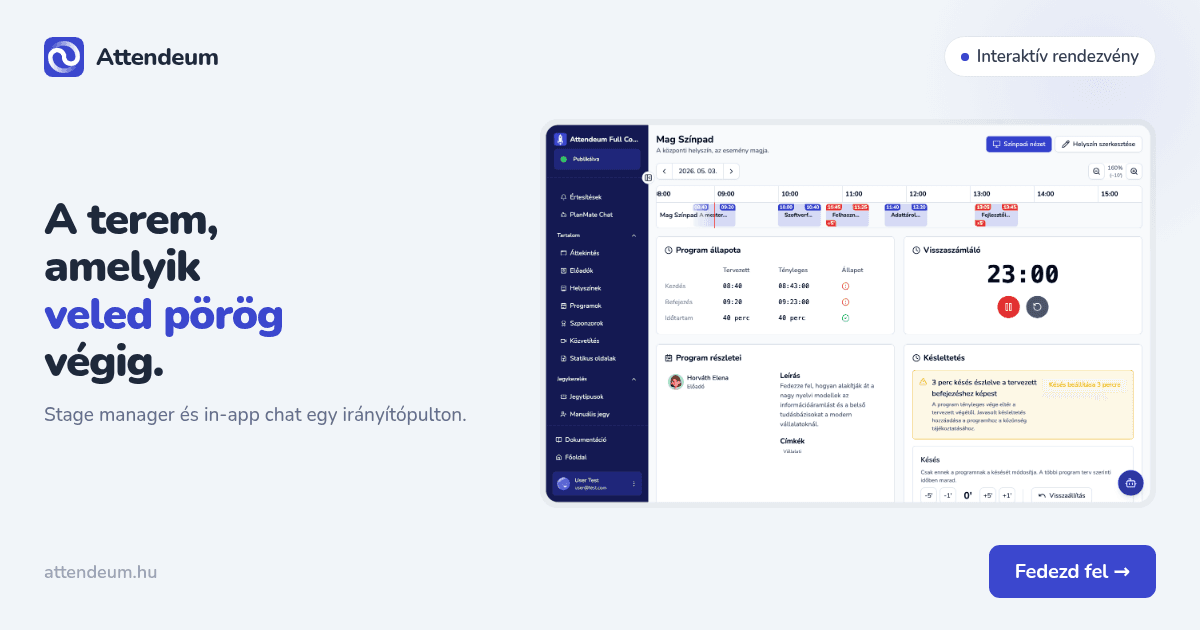
Interaktív rendezvény: stage manager és in-app chat egy irányítópulton
Röviden Egy jó program és egy stabil kivetítő még nem tesz interaktívvá egy rendezvényt. A terem akkor kezd élni, ha a színpad mögötti csapat és a nézőtér ugyanazon a felületen dolgozik: a moderátor látja, mi jön következőnek, a résztvevő pedig egy koppintással kérdezhet, szavazhat vagy jelezhet valamit anélkül, hogy megzavarná az előadót. A legtöbb szervező ezt ma három-négy külön eszközzel próbálja összerakni: egy Slido-szerű Q&A modul, egy WhatsApp-csoport a stábnak, és egy runsheet Google
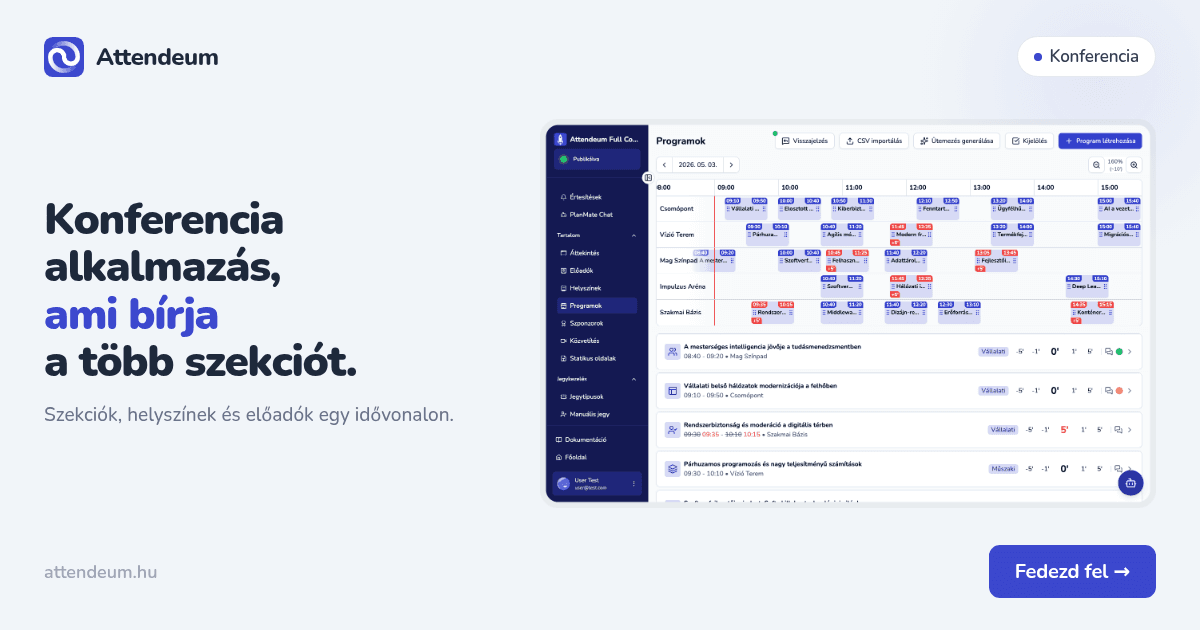
Konferencia alkalmazás: hogyan kezeld egy helyen a szekciókat, helyszíneket és előadókat
Röviden Egy többszekciós konferencián egyszerre fut több előadás, workshop és networking program, gyakran több teremben párhuzamosan. Egy táblázat vagy PDF-alapú program ezt nem bírja: amint csúszik egy előadás, vagy változik egy terem, a papíralapú verzió azonnal elavul, a résztvevők pedig a régi állapotot nézik. Egy jó konferencia alkalmazás a keresésben gyakran natív mobilappot sejtet, valójában legtöbbször webalkalmazás: linkkel vagy QR-kóddal érhető el, app store és telepítés nélkül. A sz
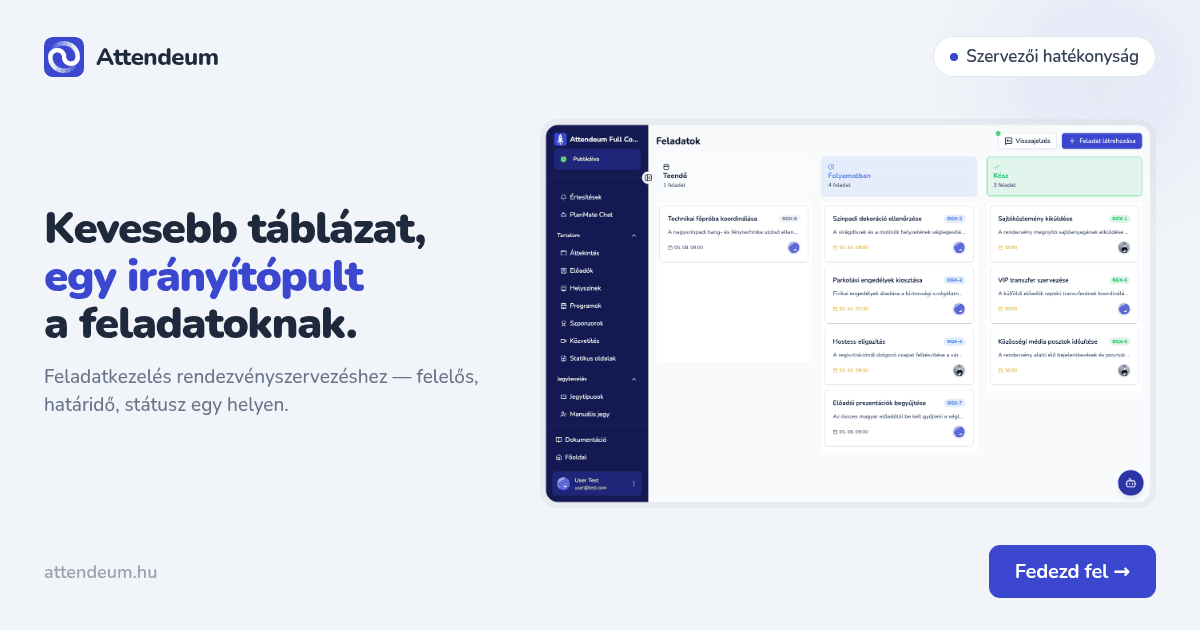
Feladatkezelés rendezvényszervezésnél: kevesebb táblázat, egy irányítópult
Röviden Egy közepes konferencia szervezése könnyen szétesik 5-6 külön táblázatra: ki miért felel, mi a határidő, hol tart a beszállítói egyeztetés, melyik terem foglalt még. Amikor egy feladat állapota változik, azt valakinek külön üzenetben kell jeleznie a csapatnak – és ez pont azoknál a last-minute döntéseknél csúszik el, amikor a legkevesebb idő van rá. Egy digitalizált feladatkezelés ezt egy helyre tereli: ki felel, mi a határidő, mi az állapot – a szervezői irányítópultban, nem szétszórt
Frequently asked questions
What kinds of events is Attendeum for?
Conferences, multi-day events, and corporate events alike — the agenda, ticketing, and attendee app all run on the same platform in every case.
Do attendees need to install an app from a store?
No, it runs as a PWA — attendees install it straight from the browser onto their phone or desktop.
Do you support live streaming?
Yes, RTMP-based streaming with recording and export — billed by usage: 1 HUF per viewer per minute, minimum 60 HUF per minute.
Is it complicated to set up?
No, creating an event takes two minutes, and you can keep expanding the details (agenda, ticket types, venues) later.
Can I try it or get a demo?
Yes, use the "Let's talk" button to schedule a live walkthrough with us.
How much does it cost?
Starting from 99,000 HUF, depending on the size of your event; add-ons such as custom development or priority support are quoted individually.
Ready to organize with less friction?
Let's talk for 20 minutes about what you'd need — and how you could set it up today.